
Pruning
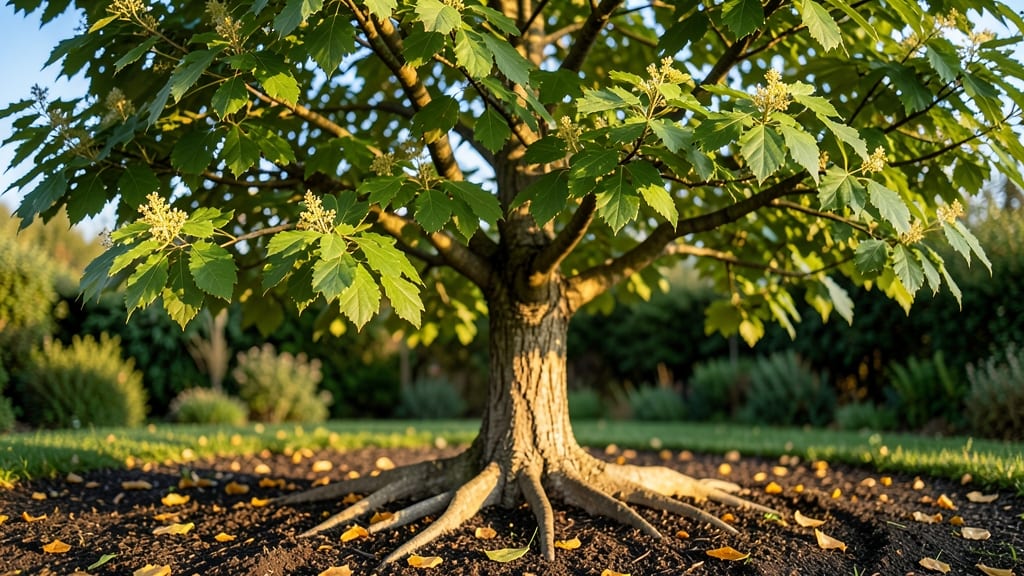
Staring at that mysterious tree in your yard and wondering what tree is this Google can solve? 🌳 I’ve been there—standing in my own backyard, scratching my head over a tree that didn’t match any of my gardening books. The good news?
You don’t need a forestry degree to figure it out. With just a few visual clues—leaf shape, bark texture, or even its fruit—you can identify almost any tree instantly using free tools like Google Lens or plant ID apps.
Start by snapping clear photos of the leaves (both top and bottom), bark, and any flowers or fruit. Pay attention to details like leaf edges (smooth, lobed, or serrated) and bark patterns (smooth, flaky, or deeply grooved). These traits narrow down the possibilities faster than you’d think.
My neighbor’s "mystery tree" turned out to be a black walnut—not because it looked familiar, but because the jagged leaves and distinctive bark gave it away once I knew what to look for.
Once you’ve got your ID, the next steps depend on what you want to do. Need to prune it safely? Want to know if it’s invasive? Or just curious about its care needs?
This guide walks you through everything—from using apps to handling common trees in your region. No more guessing games in your yard.
Works for backyard trees, city streets, or even that one oddball in the park. Let’s get you the answers you need—no green thumb required.
The Science Behind Tree Misidentification
Ever stared at a tree and thought, "What on Earth is this?" before frantically typing into Google? You’re not alone—tree identification can feel like solving a puzzle with missing pieces. But why does this happen so often?
The answer lies in a mix of biological, environmental, and human factors that make even the most seasoned nature lovers pause. Let’s break down the real reasons you might struggle to recognize a tree—and how to fix it.
Trees are like chameleons—they change their appearance based on the season. What looks like a towering oak in summer might resemble a bare twig in winter, leaving you scratching your head. Here’s why:
- Leaf Loss: Deciduous trees (like maples, birches, and willows) shed their leaves in fall, exposing bark patterns that may look unfamiliar. Evergreen trees (pines, spruces) retain needles year-round, but their color and density shift with sunlight and age.
- Flowering Phases: Some trees bloom only for weeks (e.g., dogwoods in spring), while others produce fruit or cones at specific times (e.g., ginkgo nuts in fall). Missing these clues can make identification a guessing game.
- New Growth vs. Mature Trees: Young trees often lack distinctive features (like thick bark or large leaves) until they mature. A 5-year-old oak sapling won’t look like a 50-year-old giant.
Pro Tip: 🌡️ Check the season and region. A palm tree in Minnesota in January? Probably a houseplant. Use seasonal field guides or apps like iNaturalist to account for these changes.
Nature loves mixing things up. Hybrid trees—crosses between two species—can throw off your identification skills because they inherit traits from both parents. For example:
- Oak Hybrids: A Quercus × bebbiana (swamp white oak) might blend characteristics of white oak and swamp white oak, making its leaves and acorns hard to classify.
- Willow Crosses: Some willows hybridize so freely that botanists debate their exact species. A tree with weeping branches but fuzzy catkins (flower clusters) could be Salix × something entirely new.
- Grafted Trees: Nurseries often graft different species onto the same rootstock (e.g., apple trees). The top (scion) might look like a Granny Smith, but the roots could be a different variety.
Pro Tip: ✨ Look for "×" in scientific names. If a tree’s name includes a multiplication symbol (e.g., Populus × canadensis), it’s a hybrid. Use DNA-based databases like NCBI Taxonomy for tricky cases.
Let’s be real—Google is amazing, but it’s not a botanist. Here’s how our brains (and tech) trip us up:
- Confirmation Bias: If you assume a tree is a "maple," you’ll focus only on leaf shape and ignore bark texture or seed pods. Your brain filters out details that don’t match your guess.
- Poor Image Quality: Blurry photos or partial views (e.g., only the top of a tree) make it impossible for Google Lens or apps to match features accurately.
- Regional Gaps in Databases: Google’s image recognition trains on common trees in urban areas. Rare or local species (like the Pacific Dogwood) might not get a match.
- Cultural Assumptions: You might expect to see a "redwood" in California but overlook a Sequoia sempervirens because its bark looks different up close.
Pro Tip: 💡 Combine tools for accuracy. Use Google Lens for a quick guess, then cross-check with:
- A local field guide (e.g., Peterson Field Guides).
- University extension services (they often have expert botanists).
- Citizen science apps like LeafSnap or PictureThis.
Trees adapt to their environment, and extreme conditions can make them look nothing like their "standard" description. For example:
- Drought Stress: A normally lush Red Maple might develop stunted growth or curled leaves in a dry year, mimicking a different species.
- Urban Pollution: Trees in cities often grow slower or develop unusual bark (e.g., sooty mold on oaks) due to air pollution.
- Soil pH: Acidic soil can cause yellowing leaves in a White Pine, making it resemble a sick Eastern Hemlock.
- Elevation Changes: A Ponderosa Pine at 5,000 feet might have thicker needles than one at 8,000 feet due to colder temperatures.
Pro Tip: 🌍 Note your location’s microclimate. Desert-adapted trees (like Jojoba) won’t match coastal species. Use tools like USDA Plant Hardiness Zone Map to narrow it down.
A tree under attack can look like an entirely different species. Pests and diseases alter leaves, bark, and growth patterns:
| Issue | Effect on Tree | Example |
|---|---|---|
| Emerald Ash Borer | D-shaped exit holes in bark, dieback in branches | A healthy Ash might look like a diseased Elm. |
| Fungal Leaf Spot | Irregular brown spots on leaves | A Sycamore could resemble a Sweetgum with symptoms. |
| Girdling Roots | Stunted growth, cracked bark | A Crabapple might look like a Hawthorn under stress. |
| Bark Peeling (Genetic or Injury) | Exfoliating bark patterns | A Sycamore’s patchy bark can fool you into thinking it’s a Paper Birch. |
Pro Tip: 🔥 Inspect for signs of distress. Check for:
- Unusual holes, oozing sap, or mold.
- Leaf discoloration or premature drop.
- Growth patterns (e.g., epicormic sprouts from stress).
If a tree looks "off," it might be a healthy species under attack—not a rare find.
Quick Fixes for Tree ID Struggles
Stumped by a mysterious tree in your yard or while hiking? 🌳 Don’t panic—solving the puzzle of "What tree is this?" is easier than you think with the right tools and techniques.
Below, we break down common challenges (like unclear leaves, missing flowers, or seasonal changes) and pair them with practical, step-by-step solutions—plus tips to prevent future ID headaches.
---
Cause: Many trees share leaf shapes (e.g., maples, oaks, or willows), making quick IDs tricky. Fix: 1. 📏 Measure & Compare: Use a ruler to note leaf length/width. Example: White oak leaves have rounded lobes, while red oak leaves have sharp "bristle tips." 2. 🌿 Check the Bark: Young trees? Scratch the bark—smooth bark (birch) vs. furrowed (oak) can reveal clues. 3. 🍂 Look at Leaf Arrangement: Alternate leaves (maple) vs. opposite leaves (dogwood) narrows it down. Pro Tip: 💡 Snap a photo of the whole tree (not just leaves) for Google Lens or apps like PictureThis.
--- Cause: Trees without flowers/fruit in winter or early spring can feel like a blank slate. Fix: 1. 🌲 Focus on Buds & Branches: Bud shapes differ! Pointy buds = maple; fuzzy buds = birch.
2. 🍂 Rake for Last Year’s Leaves: Fallen leaves often cling to branches—compare them to your sample. 3. 📅 Use a Seasonal Guide: Bookmark [USDA Plant Database](https://plants.usda.gov/) for winter ID tips. Pro Tip: ✨ Spring prep: Take photos of buds/flowers in bloom to reference later.
--- Cause: You’re hiking, camping, or in an area with spotty service. Fix: 1. 📖 Carry a Field Guide: National Audubon Society Field Guide to Trees covers 800+ species. 2. 📏 DIY Leaf Rubbings: Place a leaf under paper, rub with a crayon—vein patterns emerge!
3. 👂 Ask Locals: Park rangers or botanists often know regional trees instantly. Pro Tip: 🌡️ Climate clues: Pines thrive in dry areas; sycamores love riverbanks.
--- Cause: You want fast results without memorizing botany. Fix: 1. 🔍 Google Lens: Open the camera app, select Lens, and snap the tree. Boom—ID in seconds. 2. 🌱 Apps to Try: - PictureThis (AI-powered, free version available). - LeafSnap (uses leaf photos for ID).
3. 🌐 Websites: - [iNaturalist](https://www.inaturalist.org/) (crowdsourced IDs). - [Arbor Day Foundation’s Tree ID](https://www.arborday.org/trees/what-tree/). Pro Tip: 🎯 Photo best practices: Capture the entire tree, leaves, and bark in one pic for accuracy.
--- - 📅 Track Seasons: Note when your tree blooms/drops fruit to ID it year-round. - 📸 Build a Reference Library: Save photos of local trees in a folder labeled by species. - 🌿 Learn 3 Key Features: Master leaf shape, bark texture, and growth habit (e.g., tall vs. bushy). - 🌍 Join a Local Group: Facebook groups or Meetup.com often have plant-loving communities.
--- Why This Works: These fixes tackle the most frustrating tree-ID roadblocks—whether it’s a leafy imposter or a barren winter branch. Combine tech tools with old-school observation, and you’ll go from "What tree is this?" to "Ah, it’s a sugar maple!" in no time. 🍁
Frequently asked questions
What's the easiest way to identify a tree using Google?
Open the Google app, tap the camera icon, and select "Lens" mode. Snap a clear photo of the leaves, bark, and whole tree together. Google Lens will suggest matches in seconds. For best results, include all three features in one photo—this gives the algorithm more context to work with.
Can I identify a tree from just a leaf?
While possible, it's less accurate. A single leaf can belong to multiple species, especially if it's from a hybrid or young tree. For better results, include bark texture and growth habit (e.g., tall vs. bushy) in your photo. Apps like PictureThis work best when you upload multiple angles.
Why does Google Lens give me different answers each time?
Google's algorithm sometimes matches partial features rather than the whole tree. If you get inconsistent results, try these fixes: 1) Use a well-lit photo with all key features visible, 2) Check your location (some trees are regional), or 3) Cross-reference with a field guide. The first match isn't always correct—always verify with a second source.
How do I know if my tree is healthy or diseased?
Look for these red flags: unusual holes in bark, oozing sap, premature leaf drop, or discolored foliage. Healthy trees have consistent leaf color, no visible pests, and appropriate seasonal changes. If you suspect disease, compare your tree to healthy examples in your region using apps like iNaturalist.
What should I do if Google can't identify my tree?
Try these next steps: 1) Check local university extension services (they often have botanists), 2) Post on plant ID forums like Reddit's r/whatsthisthing, or 3) Visit a nearby arboretum—they can often ID rare species. For unusual trees, consider sending samples to a lab for DNA analysis.